✨ Fingerprints are annoying — but the wrong cleaner can be much worse.
Phones, tablets, laptops, monitors, televisions and other electronic devices collect fingerprints, dust, skin oils and the occasional mystery smudge surprisingly quickly.
The temptation is to reach for whatever glass cleaner or household spray is nearby. But this is one cleaning job where more cleaner, more pressure and more scrubbing can make things worse.
Some screens have protective or fingerprint-resistant coatings, while electronic devices also contain openings, buttons, speakers, microphones, charging ports and other areas where moisture can cause problems.
That means the golden rule from our previous 🪞 Streak-Free Glass & Mirror Cleaning guide needs one important adjustment:
For ordinary glass, the cleaner may do the work. For electronics, the cloth and the manufacturer's instructions should come first.
There isn't one universal cleaning recipe for every screen.
For example, Apple recommends a soft, lint-free cloth and warns against spraying cleaners directly onto its products. Microsoft similarly advises a soft, dry, lint-free cloth for Surface screens and specifies which solutions may be used on particular devices. Samsung's current guidance also recommends a soft microfiber cloth and says liquids should be applied to the cloth rather than directly to the device.
So before reaching for alcohol, vinegar, glass cleaner or disinfectant, check the instructions for your particular device.
🔌 POWER OFF → 🌬️ REMOVE DUST → 🧽 WIPE → 💧 DAMPEN IF APPROVED → ✨ BUFF
This simple sequence prevents many of the common mistakes.
| Step | What to do |
|---|---|
| 🔌 Power off | Switch the device off and disconnect power or cables where appropriate. |
| 🌬️ Remove dust | Use a clean, soft cloth to lift loose dust rather than rubbing it across the screen. |
| 🧽 Wipe | Use a soft, lint-free microfiber cloth with gentle pressure. |
| 💧 Dampen only if approved | If the manufacturer's instructions allow it, lightly dampen the cloth — never soak it. |
| ✨ Buff | Use a clean, dry section of the cloth to remove remaining marks and moisture. |
For ordinary fingerprints, you often don't need a cleaning solution at all.
A clean, dry microfiber cloth can remove surprisingly large amounts of dust, skin oils and fingerprints when used gently.
Samsung specifically recommends a soft, lint-free microfiber cloth for removing fingerprints and smudges from suitable device surfaces.
Try this first:
Often, that's all the screen needs.
For dried fingerprints or stubborn marks, a tiny amount of moisture may help — but only when the device manufacturer's instructions permit it.
The important part is how the moisture is applied.
Never spray or pour liquid directly onto the screen.
Instead, if the manufacturer's instructions allow a damp cloth, apply a small amount to the cloth and make sure it
Very impressed with service and quality. Very professional. Thank you
It's great, put it on and straight away the pain in my feet went right down
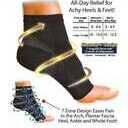
Very fast delivery, product is awesome the self heating actually works !!